Updating the Vision Pro Client / Vision Pro クライアントのアップデート
English
The FusionHub client for Apple Vision Pro, LPVR-AIR Client v4, is distributed as an unlisted app on the App Store. It is a regular App Store app, but it does not appear in App Store search results. To install or update it you open its product page through the link below.
Short link: lp-research.com/avp
Step 1: Open the link in Safari
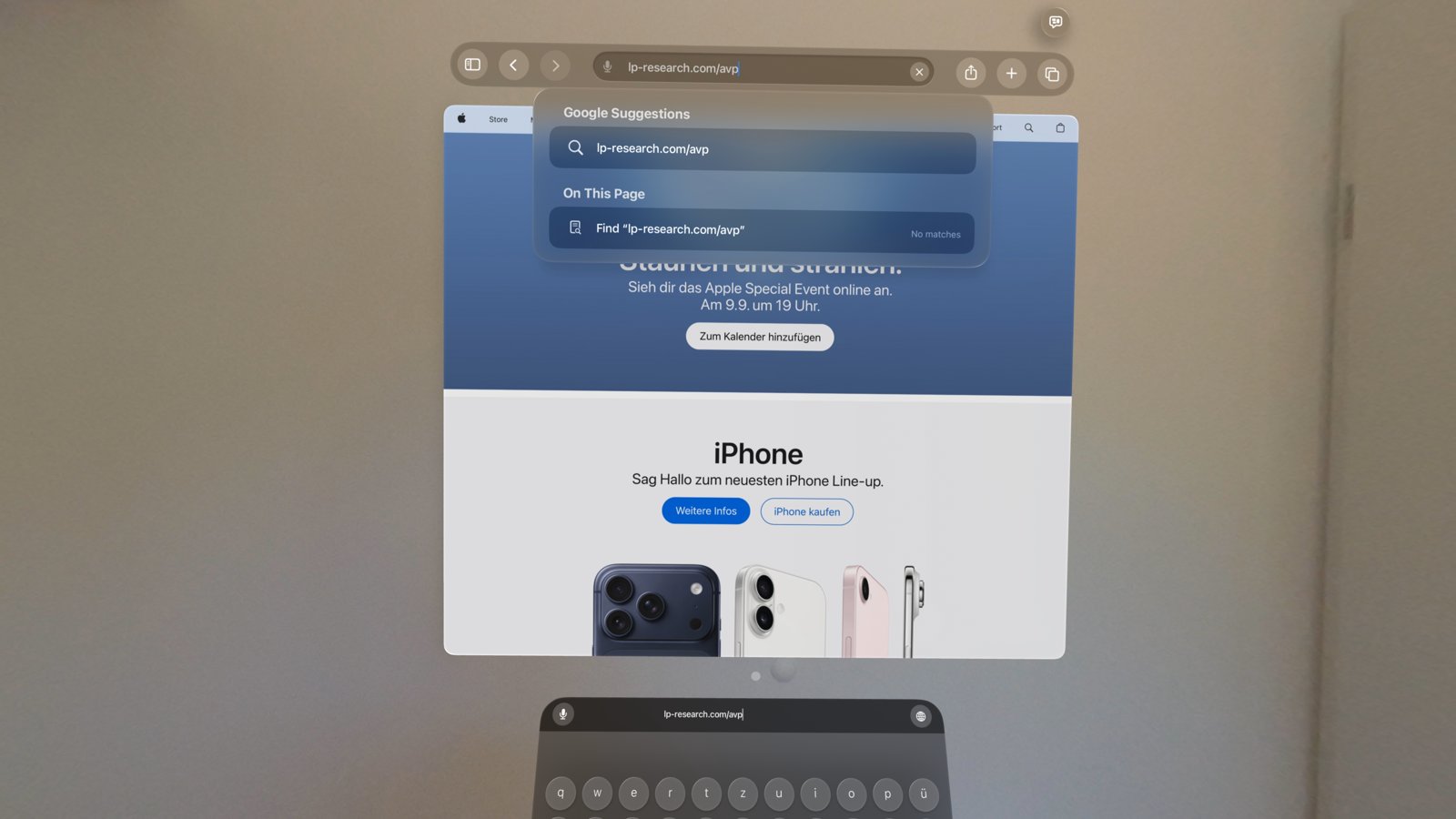
On the Vision Pro, open Safari, tap the address bar and enter lp-research.com/avp.
Step 2: Open the listing in the App Store app
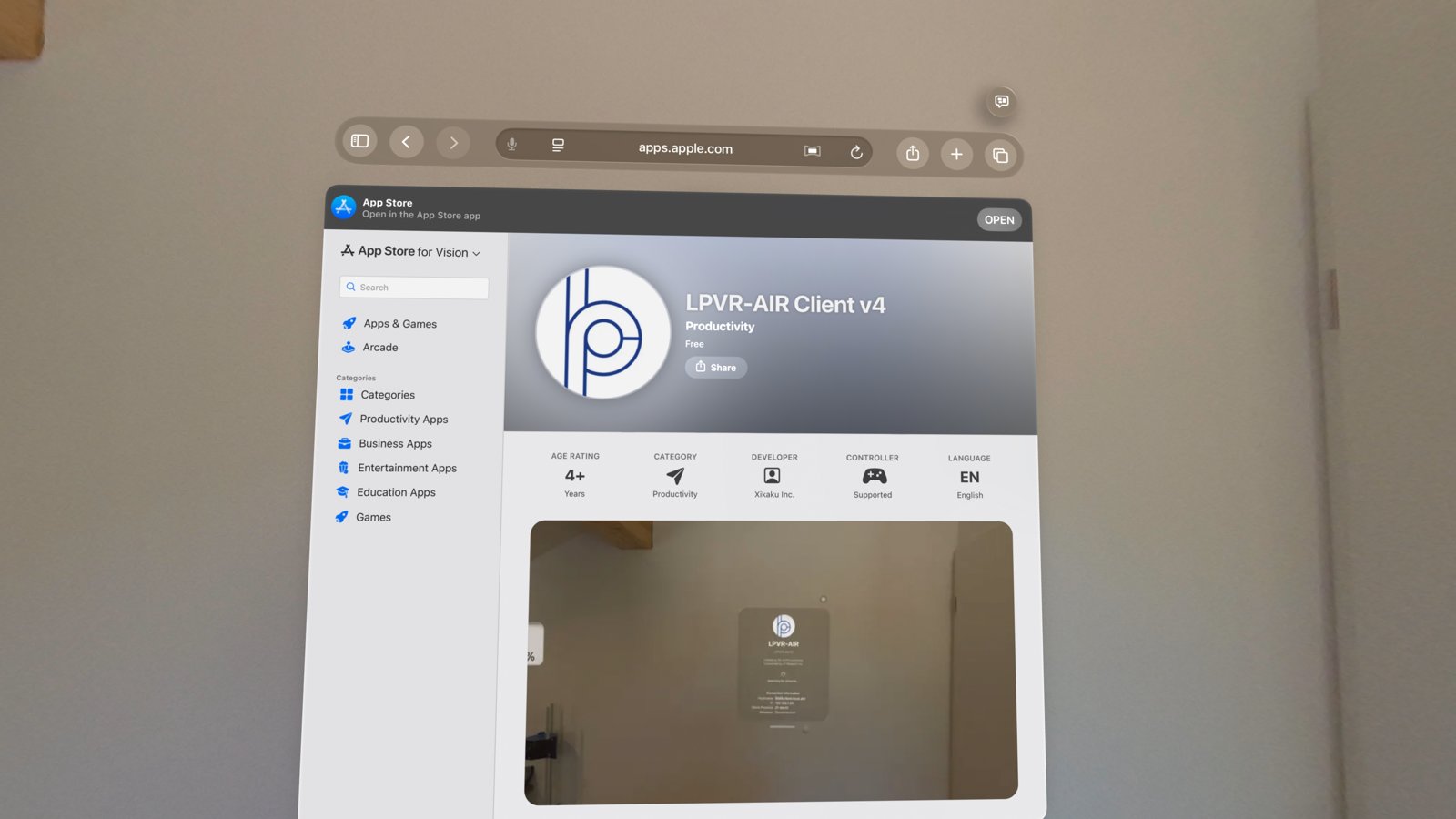
Safari redirects to the App Store page of LPVR-AIR Client v4 (apps.apple.com). At the top of the page, tap OPEN in the banner “Open in the App Store app”.
Step 3: Update the app
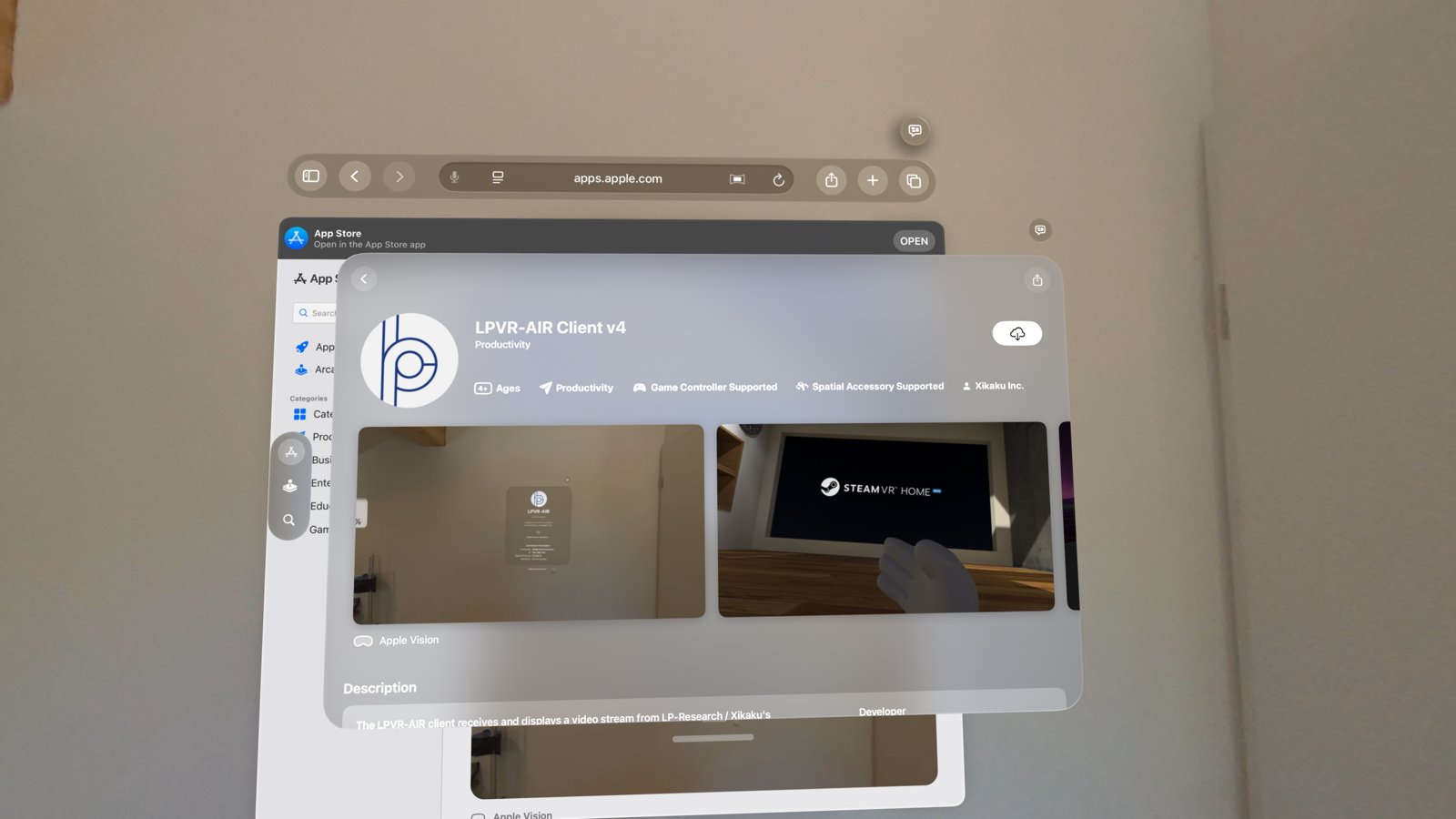
The App Store app opens the product page. The button at the top right shows what to do next:
| Button | Meaning |
|---|---|
| Update | A newer version is available. Tap it to update. |
| Cloud icon | The app was obtained before but is not currently installed. Tap it to download it again. |
| Open | The installed version is already the latest. |
If you want to confirm the version, scroll down to What’s New on the product page. The version number is shown there.
Step 4: Start the client
After the update finishes, launch LPVR-AIR from the Home View. The client announces itself to FusionHub as before; see ALVR Panel Mode with Apple Vision Pro for connecting and trusting the headset.
Notes
- Because the app is unlisted, it cannot be found by searching in the App Store. Always use the link above.
- If Automatic Updates is enabled in the Vision Pro under Settings > App Store, the client is updated automatically like any other App Store app. Use the steps above to update immediately.
- The App Store page can also be opened on a Mac or iPhone, but the installation itself must be done on the Vision Pro.
日本語
Apple Vision Pro 用 FusionHub クライアント LPVR-AIR Client v4 は、App Store の 非公開(Unlisted) アプリとして配布されています。通常の App Store アプリと同じですが、App Store の検索結果には表示されません。インストールやアップデートは、以下のリンクから製品ページを開いて行います。
短縮リンク: lp-research.com/avp
手順 1: Safari でリンクを開く
Vision Pro で Safari を開き、アドレスバーをタップして lp-research.com/avp と入力します。
手順 2: App Store アプリで製品ページを開く
Safari から LPVR-AIR Client v4 の App Store ページ(apps.apple.com)にリダイレクトされます。ページ上部のバナー “Open in the App Store app” にある OPEN をタップします。
手順 3: アプリをアップデートする
App Store アプリで製品ページが開きます。右上のボタンの表示によって操作が異なります。
| ボタン | 意味 |
|---|---|
| アップデート | 新しいバージョンがあります。タップしてアップデートします。 |
| 雲のアイコン | 以前に入手済みですが、現在インストールされていません。タップして再ダウンロードします。 |
| 開く | インストール済みのバージョンがすでに最新です。 |
バージョンを確認したい場合は、製品ページを下にスクロールして 新機能 を参照してください。バージョン番号が表示されています。
手順 4: クライアントを起動する
アップデートが完了したら、ホームビューから LPVR-AIR を起動します。クライアントはこれまでと同様に FusionHub に接続します。ヘッドセットの接続と信頼(Trust)の手順については、ALVR Panel Mode with Apple Vision Pro を参照してください。
注意事項
- 非公開アプリのため、App Store の検索では見つかりません。必ず上記のリンクを使用してください。
- Vision Pro の 設定 > App Store で 自動アップデート が有効になっている場合、他の App Store アプリと同様に自動的にアップデートされます。すぐにアップデートしたい場合は、上記の手順を実行してください。
- App Store のページは Mac や iPhone でも開けますが、インストール自体は Vision Pro 上で行う必要があります。